Local-first clipboard manager with MCP integration for AI workflows
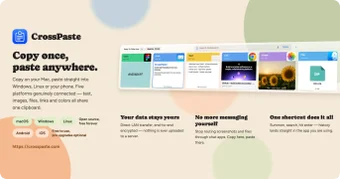
crosspaste-desktop from CrossPaste is a local-first clipboard manager that shares clipboard content between devices and connects that context to AI assistants. It synchronizes multiple data types in real time while exposing a native Model Context Protocol server so models can access clipboard history. The app emphasizes privacy and local operation rather than cloud services. Developers, power users, and AI enthusiasts gain a way to integrate local clipboard context into productivity workflows.
What tasks can you actually use it for?
The tool turns the system clipboard into a shared context source for workflows and assistants. It supports passing plain text, formatted text, images, files, URLs, and color codes across devices, and it exposes that history so a model can read or write clipboard entries. Typical tasks include moving code snippets between machines, inserting captured screenshots into chats, and feeding recent clipboard items to an assistant during a drafting session. Workflows benefit from direct clipboard access without manual file transfers.
How fast and local are its sync and OCR functions?
Synchronization runs on the local network with sub-100ms latency for common desktop setups, which reduces remote round trips for time-sensitive clipboard exchanges. OCR runs locally and extracts text from images without network calls, preserving file residency. Smart space management automatically cleans history, so storage does not grow unchecked. These behaviors prioritize low-latency exchanges and on-device processing over cloud dependence.
What inputs, platforms, and limitations should you expect?
Installers include Windows x64, macOS for Intel and Apple Silicon, and Debian/Ubuntu packages, plus companion apps for Android, iOS, and a Chrome extension. A command-line interface enables scripted copy, paste, and search operations. The architecture is LAN-only and serverless, so devices must be reachable on the same network; remote cloud syncing is not available. That design trades wide-area convenience for local control and privacy.
How does it fit into developer and AI workflows?
The project is open-source under AGPL-3.0 and is maintained by a named developer and a community, which supports auditability and custom integrations. An account-free, zero-knowledge setup removes central accounts from the flow, and CLI access supports automation and scripting. The tool suits technical users who compose scripts or connect local assistants to live clipboard context, while less technical users may find initial discovery and pairing more demanding.
A practical choice for technically minded users who need local context
crosspaste-desktop is a practical option for developers and AI-focused power users who prefer local control and want clipboard contents available to assistants. It favors environments where devices share a network and where some familiarity with open-source tooling and command-line workflows exists. Users expecting remote cloud sync or plug-and-play simplicity should weigh the local-first trade-offs before adopting it.